
Best VPNs for Windows PC: ExpressVPN, NordVPN, Surfshark Tested
With so many VPNs on the market, finding the best VPN for Windows can be difficult. We’ve reviewed all the top VPN providers and found the best choices for Windows users, depending on their specific needs, requirements, and budget.
 ExpressVPN
Fast, reliable, works in 105 countries. TrustedServer technology ensures no data touches a hard drive.
From $3.49/mo
Get ExpressVPN Now
Why we picked it ↓
ExpressVPN
Fast, reliable, works in 105 countries. TrustedServer technology ensures no data touches a hard drive.
From $3.49/mo
Get ExpressVPN Now
Why we picked it ↓
 NordVPN
Fastest speeds in our testing. NordLynx protocol. Works with Netflix, Disney+, BBC iPlayer, and more.
From $3.09/mo
Get NordVPN Now
Why we picked it ↓
NordVPN
Fastest speeds in our testing. NordLynx protocol. Works with Netflix, Disney+, BBC iPlayer, and more.
From $3.09/mo
Get NordVPN Now
Why we picked it ↓
 Surfshark
Unlimited devices on one account. Competitive long-term pricing with CleanWeb ad blocker included.
From $1.99/mo
Get Surfshark Now
Why we picked it ↓
Surfshark
Unlimited devices on one account. Competitive long-term pricing with CleanWeb ad blocker included.
From $1.99/mo
Get Surfshark Now
Why we picked it ↓
Jump to section
Quick Guide To Choosing a VPN for Windows
When choosing a VPN for Windows, there are some key features to look for and avoid:
What To Look For
First, there are general features that should be included in every VPN, including those for Windows. The service should be able to provide secure and private access to a large number of servers across a wide range of locations, and the VPN should be easy to install, set up, configure, and maintain.
The VPNs listed here also include a number of additional features, including verified no-logs policies (meaning they don’t store your data), kill switches (in case your VPN connection falters, your information won’t be leaked), and split tunneling.
Split tunneling enables users to divide their internet traffic into two separate tunnels (one inside the encrypted VPN and one outside of it), which can be particularly useful in reducing speed loss by limiting the number of applications that need to use the same VPN tunnel.
What To Avoid
While most VPN services include a dedicated app for Windows devices, some are better tailored for other platforms, such as macOS or mobile systems.
Avoid VPNs that don’t offer all their features on their Windows app, as you won’t be able to take full advantage of your subscription plan and may miss out on key benefits.
Top VPNs for Windows
Here are our top recommendations for the best VPNs for Windows users:
ExpressVPN
Our Deal: $12.95 ✓ Mar 18, 2026/month billed monthly, $9.99 ✓ Mar 18, 2026/month billed every six months, and $6.67/month billed yearly.
Pros:
+ 8 simultaneous connections.
+ Several encryption options, including its pioneering Lightway protocol.
+ Unlimited bandwidth.
+ Numerous server locations.
+ DNS leak protection.
+ Strict no-logging policy.
Cons:
– High subscription cost.
ExpressVPN is based in the British Virgin Islands (BVI), which has no legal mandate to log its users’ data. It’s also one of the most popular and trusted providers on the market, having proven its reputation for more than a decade.
Just like any premium service, ExpressVPN secures your internet traffic and personal data with industry-standard encryption and the fastest, most secure protocols available.
This VPN for PC has a high number of servers in multiple locations and countries, so your bandwidth and connection options won’t be limited.
It has an easy-to-install Windows app, as well as others for mobile devices, allowing up to 8 simultaneous connections at once on a single account.
Read our full ExpressVPN review
→
Surfshark
Our Deal: Surfshark Starter from $15.45 ✓ Mar 18, 2026 for a month, $2.79 ✓ Mar 18, 2026 for one year (+3 months free), and $1.99 ✓ Mar 18, 2026 for two years (+3 months free).
Get Surfshark Now
30
days
Money-back guarantee - cancel anytime, no questions asked.
Pros:
+ Easy-to-use user interface.
+ Independently verified no-logs policy.
+ Unlimited number of devices on one account.
+ Built-in kill switch within the Windows app to ensure online activities, private data, and information are never exposed to third parties.
+ Private DNS for every server to avoid any potential security breach due to online browsing.
+ Camouflage mode available for Windows operating systems.
Cons:
– Based in the Netherlands, which is part of the 14-Eyes Alliance (although Surfshark does have a strict no-logs policy).
Despite being based in a 14-Eyes Alliance country, Surfshark has a strict no-logs policy that has been independently verified by third-party audits, and its entire network runs on RAM-only servers. This means the VPN service doesn’t record any of your information, so it would have nothing to turn over to any government if asked.
Surfshark offers speedy and secure access to online content through the WireGuard protocol, which offers a safe and smooth internet experience.
Plus, with 4,500+ servers in 100 countries, you can be sure you’ll always have fast, reliable access to the content you need. Surfshark also prevents IP address logging and offers complete protection against WebRTC and DNS leaks, so your privacy is always protected.
Its monthly subscription starts at one of the lowest price points for a premium VPN, making it one of the most budget-friendly VPN services available.
Read our full Surfshark review
→
NordVPN
Our Deal: from $12.99 ✓ Mar 18, 2026/month billed monthly, $4.99 ✓ Mar 18, 2026/month billed yearly, and $3.49 ✓ Mar 18, 2026/month billed every two years.
Pros:
+ Own NordLynx protocol based on WireGuard.
+ Risk-free 30-day money-back guarantee.
+ DNS leak prevention.
+ Verified no-logging policy.
+ Unlimited bandwidth.
+ Supports up to 6 devices on any platform.
+ Provides HTTPS and anti-DDoS protection.
+ Payments can be made with cryptocurrency.
+ Support for Netflix, Hulu, Amazon Prime Video, BBC iPlayer, HBO, Sling TV, and Showtime.
Cons:
– NordVPN for Windows restricts torrenting to only a few servers.
Alongside Windows, NordVPN can be used on macOS, Android, iOS, Linux, Android TV, Firefox, Chrome, routers, and more, making it great for those with multiple types of devices.
NordVPN has 8,400+ servers that are located in 167 countries, and its no-log policy states that it does not store users’ internet activity, bandwidth, IP address, traffic data, or the details of their sessions.
The service also provides a double VPN option (for extra protection), Onion over VPN, military-grade encryption, and its Threat Protection malware and ad blocker.
NordVPN offers a 30-day money-back guarantee, so you can try it risk-free.
Read our full NordVPN review
→
Hide. me
Our Deal: $9.95 ✓ Mar 18, 2026/mo billed monthly | $4.99 ✓ Mar 18, 2026/mo billed every 12 months | $2.59/mo billed every 27 months (includes 3 free months)
Pros:
+ Based in Malaysia, (outside the 14-Eyes Alliance).
+ Lifetime free Windows app.
+ Strong encryption standards with PPTP, L2TP/IPsec, SoftEther, SSTP, OpenVPN, and IKEv2 protocols.
+ Servers in 79 global locations.
+ 24/7 customer support.
+ Variety of supported devices.
+ Unblocks Netflix, Spotify, and YouTube.
+ Suitable for torrenting.
Cons:
– No established connection in China.
– Average speeds.
Hide.me VPN is based in Malaysia where, under the Personal Data Protection Act (PDPA) legislation, organizations aren’t permitted to transfer personal information outside of Malaysia’s jurisdiction.
Hide.me VPN’s free version for Windows offers 10GB of data per month and access to servers in eight locations. This plan only allows one device to be connected, whereas paying subscribers get access to more than 79 server locations.
Many free VPN apps often contain malware or log users’ data to sell to third parties, but hide.me VPN’s free plan is safe and reliable. Its no-logs policy is the same for free users as it is for paid plans and requires no signup or registration details.
The free plan also doesn’t throttle speeds, and it blocks ads and trackers.
Hide.me has more than 2,100 servers in 79 locations around the world, with a native app for Windows. It offers IKEv2 IPsec, WireGuard, OpenVPN, SSTP, and SoftEther, with industry-standard AES-256 encryption.
The customer support team is reachable 24/7 and are also available to free users.
 Read our full Hide.me review
→
Read our full Hide.me review
→
Proton VPN
Our Deal: $11.49/month billed monthly, $5.99/month billed yearly, and $4.99/mo billed every 24 months.
Best & Worst:
- Unlimited data, even on the free plan.
- Free plan can’t unblock geo-restrictions.
Pros:
+ Offers a free version with no data cap.
+ Reasonably priced paid version.
+ Includes an ad blocker.
+ DNS leak prevention
+ Based in Switzerland, a country with strong data protection laws.
+ Verified no-logs policy.
+ P2P support.
+ Unblocks Netflix, BBC iPlayer, Hulu, Amazon Prime Video, and YouTube.
Cons:
– Has a single session timestamp.
– May not work in China.
Proton VPN offers a Windows app that enables users to use the web anonymously and visit blocked websites through 3,000 servers in 68 countries.
The service has no data limits, even on the free plan, which also doesn’t expose users to advertisers. The only downside to the free plan is its limited access to three server locations: the Netherlands, Japan, and the USA, none of which are able to unblock geo-restrictions.
This VPN for Windows passes the user’s internet traffic through a core network that is located in countries like Iceland and Switzerland. Most importantly, it’s compatible with Windows, Android, iOS, macOS, Linux, and even works with TOR.
 Read our full ProtonVPN review
→
Read our full ProtonVPN review
→
Windscribe

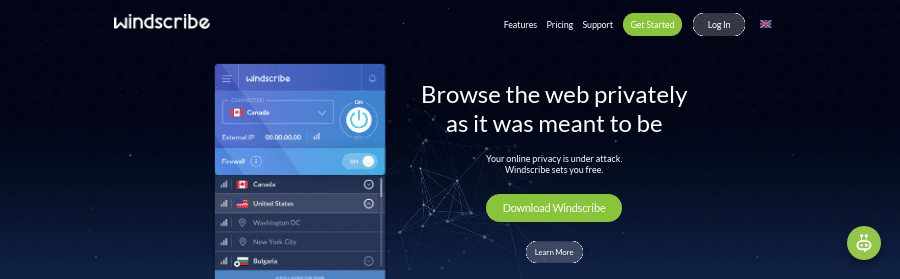
Our Deal: build a plan from $1.00 per location per month | $9.00 ✓ Mar 18, 2026/mo for
Pros:
+ Strict no-logging policy.
+ User-friendly software interface.
+ A wide range of servers in more than 60 countries.
+ Free plan offers servers in 11 countries.
+ Autopilot feature.
+ Firewall feature.
+ Mac address spoofing.
+ Built-in malware and ad blocker.
Cons:
– Customer support system is a Chatbot named Garry that only responds to already programmed queries. It’s more of a searchable FAQ than a true customer support chat.
– Only offers 3 days after purchase to claim a refund.
Windscribe is based in Richmond, Ontario, Canada with servers in 69 countries.
This VPN service can be used on a wide range of platforms; Windows PC, Mac, Linux, Android, and iOS operating systems. Compatible also with Amazon Fire Stick and routers.
Windscribe VPN uses AES-256 cipher with SHA512 auth and a 4096-bit RSA key to create a protection tunnel for your data.
The service has a good mix of both data allowance and servers. Its free version also offers access to more locations than many others, including Germany, the UK, Canada, and several others.
Windscribe is a great choice of VPN for Windows, offering Mac address spoofing, a firewall feature, split tunneling, and custom configuration support.
Users do NOT need to provide any personal information when signing up for the service and has a real-time transparency report that shows a real-time feed of data requests the company receives.
Windscribe also allows users to build their payment plan, where they pay based on the number of locations they want to access (charged at $1 per location per month).
Read our full Windscribe review.
Read our full Windscribe review
→
TunnelBear
Our Deal: free plan | from $3.33 ✓ Mar 18, 2026/mo for the unlimited plan | $5.75 ✓ Mar 18, 2026/user per month for teams
- Obfuscated connections to help bypass VPN blocks.
- Won’t unblock Netflix.
Pros:
+ Free plan option.
+ Support for teams.
+ Kill switch.
+ Easy installation.
+ P2P support.
+ Annual independent security audit.
+ Clear privacy policy and no-logging policy.
+ Offers data blocking and also protection from online malware activities
+ GhostBear feature.
Cons:
– Limited data on the free plan (users can’t leave it “always-on,” as they will get caught short on bandwidth data before the end of the month).
– Router installation is not supported.
– Doesn’t support Netflix.
TunnelBear is one of the best-known free VPNs for Windows. It has more than 5,000 servers in more than 47 countries.
This Windows VPN has 256-bit AES encryption, with WireGuard, OpenVPN, and IKEv2 protocols, and lets users connect an unlimited number of devices at once.
Its GhostBear feature helps users get around VPN restrictions by hiding the fact you’re using a VPN at all. Its servers are also P2P friendly.
The free version of TunnelBear provides 2GB of data for secure browsing each month, which is a lot less than other free VPN plans for Windows.
TunnelBear VPN is compatible with Windows, iOS, macOS, Android, Linux, Firefox, and Chrome.
Why Use a VPN for Windows?
A VPN allows users to establish a secure and private connection between their device and the internet by creating an encrypted tunnel that safeguards their information.
Windows 10 comes with a built-in VPN client, but this only helps users connect to a third-party network – it still requires users to sign up for a premium VPN service to take advantage of it.
Here are some key reasons to use a VPN for Windows:
- Any device connected to the internet is open to online threats and malware attacks, including Windows operating systems. A good VPN can safeguard your device for either personal or business use.
- A Windows VPN connection will secure and anonymize your data and information, regardless of the network you’re connected to (so you can browse at work or on public Wi-Fi hotspots without fear of a data breach).
- VPNs can reduce bandwidth throttling, by hiding your online activities from your internet service provider (ISP) to prevent connection speed restrictions based on the type of sites you visit.
- By using a VPN server that is beyond the control of ISPs, a user can bypass oppressive censorship or geo-restrictions to access streaming content not originally available in their location. For example, different TV shows and movies will be available to overseas Netflix subscribers than those available to subscribers in the US.
Our Methodology
Our picks compared
| ExpressVPN | NordVPN | Surfshark | ProtonVPN | Windscribe | |
|---|---|---|---|---|---|
| Best rate | $3.49/mo | $3.09/mo | $1.99/mo | $3.59/mo | $5.75/mo |
| Monthly price | $12.99 | $12.99 | $15.45 | $9.99 | $9.00 |
| Servers | 3,000+ | 8,400+ | 4,500+ | 15,000+ | 480+ |
| Countries | 105 | 167 | 100 | 120 | 69 |
| Devices | 8 | 10 | Unlimited | 10 | Unlimited |
| Jurisdiction | 🇻🇬 BVI ⓘ | 🇵🇦 Panama ⓘ | 🇳🇱 Netherlands ⓘ | 🇨🇭 Switzerland ⓘ | 🇨🇦 Canada ⓘ |
| Money-back | 30 days | 30 days | 30 days | 30 days | 7 days |
| Kill switch | ✓ | ✓ | ✓ | ✓ | ✓ |
| Split tunneling | ✓ | ✓ | ✓ | ✓ | ✓ |
| No-logs audited | ✓ | ✓ | ✓ | ✓ | ✗ |
| Dedicated IP | ✗ | ✓ | ✗ | ✗ | ✗ |
| Review | Read review → | Read review → | Read review → | Read review → | Read review → |
| Get ExpressVPN Now | Get NordVPN Now | Get Surfshark Now | Get ProtonVPN Now | Get Windscribe Now |
VPNs we don't recommend
Transparency matters. Not every VPN earns our recommendation. Here's why some rank at the bottom:
Hola VPN
- Routes traffic through other users' devices, not VPN servers
- Your bandwidth is sold to third parties
- No encryption on free tier
- Logs all user activity
- Previously linked to a botnet incident
Ivacy VPN
- DNS leaks detected in our testing
- Leaking DNS queries defeats the purpose of a VPN
- Disputed ownership (Gaditek/Disrupt connection)
Avast SecureLine VPN
- Parent company fined $16.5M by FTC (2024)
- Sold user browsing data via Jumpshot subsidiary
- Only 55 servers in 34 countries
How we chose these VPNs
Every VPN on this page goes through the same independent testing process. No provider pays for a ranking. ExpressVPN is our featured partner (clearly disclosed), but that relationship does not influence the testing methodology applied to every other provider on this page.
Leak tests
IP address, DNS, and WebRTC leak detection using our own testing tool
Speed tests
Download, upload, and latency measurements across multiple server locations
Streaming access
Testing against Netflix, Hulu, BBC iPlayer, Disney+, and other major services
Privacy policy review
Jurisdiction analysis, logging policy audit, and independent audit verification
App quality
Usability testing on Windows, macOS, iOS, Android, and browser extensions
Value assessment
Price per month, money-back guarantee terms, and feature-to-cost ratio
Our Verdict
Even though the best VPN for Windows will depend on each user’s need, it’s vital the service offers a native Windows app that works with all its additional features and benefits.
Beyond that, users should ensure the VPN service is reliable and has a wide range of servers and locations, with fast and secure protocols.
All of the top VPNs listed here have been proven to be safe with verified no-logging policies, and offer the best features for Windows users.
Frequently Asked Questions (FAQs)
Is a free VPN for PC worth downloading?
A free VPN for Windows is unlikely to be worth downloading. Not only do they often limit users’ bandwidth and the number of available servers or locations, but they can even contain malicious threats, such as malware. Some free VPN services don’t have authentic no-logging policies and may sell users’ data to third parties, such as advertisers or hackers.
To receive the best security and features, it’s worth subscribing to a premium VPN service, such as the ones listed on this page.
Do free VPN providers log anything?
Yes, some free VPN providers will log their users’ data or internet activities. Several will also sell users’ data to third parties, such as advertisers or hackers. Before downloading any VPN (free or paid), users should ensure the provider has a strict no-logs policy, preferably verified by independent third-party security experts.
Users can also read the VPN provider’s privacy policy to see exactly what information is stored when using the service.
Is it possible to sign up for a VPN service completely anonymously?
Yes, if the VPN service lets users pay with cryptocurrencies. Providers including ExpressVPN, NordVPN, Surfshark, CyberGhost, and Private Internet Access offer anonymous payment options such as cryptocurrency or gift cards.
To protect an identity when signing up for a VPN, users should use a disposable email account (if one is required) and consider Tor (a network that offers online anonymity by routing internet traffic through a series of encrypted servers).
Is there a free VPN for Windows 10?
Hide.me VPN, Windscribe, and Proton VPN are reliable services that offer secure and completely free VPN plans.
However, each of these comes with its own restrictions and limitations, such as the amount of data permitted each month or the number of servers and locations free users can access.
For the best Windows VPN and advanced features, a paid plan is the optimal choice.
What is the best free VPN for PC without registration?
TunnelBear and Hide.me VPN are two excellent choices for users looking to try out free VPN services without having to provide any registration details. Both provide access to free plans that don’t require a user to sign up.
However, free users should be aware that both providers limit the services offered on their free plans, instead requiring users to sign up for a paid plan to access all their features and benefits.
Can anyone track you if you use a VPN?
If a VPN is functioning as expected, third parties should be unable to track its users. An Internet Service Provider (ISP) can sometimes see if someone is using a VPN, although several VPN providers offer additional features that can also hide this (using obfuscated servers).
Unfortunately, VPNs are not 100% infallible, and websites can still employ methods such as cookies, fingerprinting, and similar techniques to track user behavior, though these practices are generally less intrusive to someone’s privacy compared to IP address-based tracking.
Can I use my Windows VPN on multiple devices?
While it depends on the VPN service and the plan it offers, yes, most premium providers will allow their paid users to connect more than one device to the VPN at any one time.
Separate apps need to be installed on each device, since a Windows app won’t be compatible with other operating systems (such as iOS or Android). These can usually be found and downloaded from the VPN service’s official website.
By use case
By device
By country
Update history
This page was revised 17 times between September 2021 and April 2026.
Added corporate structure references with links to ownership records.
Enhanced Windows VPN comparison with auto-updating spec tables, review link cards, and trust credentials. Replaced stale hardcoded data.
Added introduction, quick selection guide with feature explanations, and detailed comparison tables with specifications for top VPN providers including ExpressVark and Surfshark.
Rewrote introduction to emphasize VPN selection difficulty and added detailed quick-reference guide with feature comparison table for Windows users.
Rewrote introduction for clarity and streamlined opening paragraph to better guide Windows VPN selection.
Restructured introduction and expanded Windows-specific guidance with detailed sections on key features to prioritize and pitfalls to avoid.
Added introductory paragraph explaining the need for Windows VPN selection guidance, plus expanded first section with detailed feature comparison framework covering security, kill switches, and split tunneling.
Restructured content organization by moving VPN feature explanations into dedicated sections and consolidating provider comparisons for improved readability.
Removed extensive instructional content on manual Windows VPN configuration and condensed VPN feature explanations for clarity.
Added guide section covering how VPNs work on Windows, key features to evaluate, and detailed comparison of top providers with specs and pros/cons.
Added new section on choosing Windows VPNs, detailed explanation of how VPNs work on Windows 10, and expanded VPN provider profiles with specs, features, and pros/cons.
Added new section on how to choose Windows VPNs, including explanation of VPN mechanics, setup instructions for Windows 10, and key features to evaluate before selecting a provider.
Reorganized VPN provider sections with corrected ranking numbering and consolidated duplicate Surfshark entries.
Removed duplicate VPN provider sections, consolidated overlapping Surfshark and ExpressVPN entries, and eliminated redundant header structures.
Added introductory section explaining VPN types and key features, then populated detailed reviews for Surfshark, NordVPN, and ExpressVPN with specifications, pros/cons, and descriptions.
Removed verbose introductory paragraphs and restructured content to focus directly on VPN comparisons and features.
Removed outdated pandemic-related introduction and restructured opening section for relevance, condensed VPN features section, and streamlined provider descriptions.
Myth: VPNs make you completely anonymous online. Reality: VPNs hide your IP but can't prevent tracking via cookies, logins, or fingerprinting.